
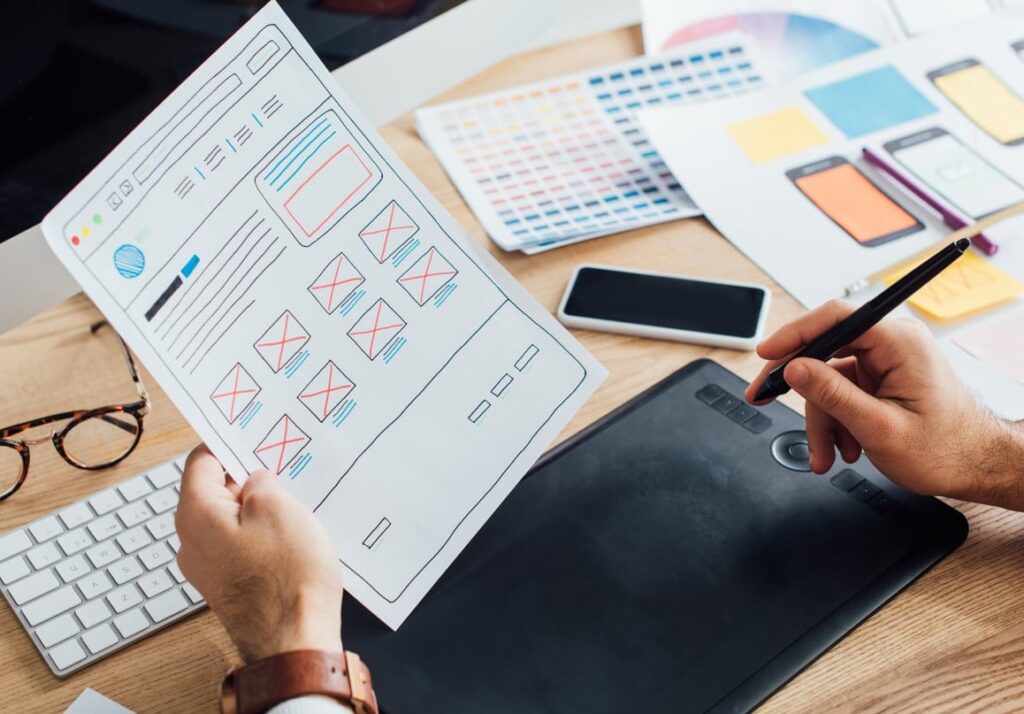
What Is a Minimum Viable Website?
A minimum viable website (MVW) is the smallest version of your website that can still do three jobs well: explain what you do, build enough trust to be believed, and capture a lead, a signup or a sale. Nothing more. Everything else waits.
If you know the concept of a Minimum Viable Product, the logic is identical. An MVP is the simplest usable version of your product. An MVW is the simplest usable version of your web presence. It is not a placeholder, it is not a "coming soon" page, and it is definitely not a 30-page corporate site that takes four months and eats your runway before you talk to a single customer.
At jkvc.me we see the same pattern every month: founders spend 10 to 15 weeks and a big chunk of their budget on a website, launch it, and then discover their positioning was wrong. The site then has to be rewritten anyway. The MVW approach flips that order: launch fast, learn from real traffic, then invest.

MVW vs MVP vs Landing Page: Clearing Up the Confusion
These three terms get mixed constantly in search results. Here is the practical difference:
| Concept | What it is | Main goal | Typical build time |
|---|---|---|---|
| Landing page | One single page, one single offer | Validate demand or run ads | 1 to 3 days |
| Minimum viable website | A small set of pages that explain, prove and convert | Be credible, rank, convert, sell | 1 to 3 weeks |
| MVP (product) | The usable version of the product itself | Test if people use and pay | 4 to 16 weeks |
A landing page is often not enough for B2B or for anything with a real price tag. Buyers check who you are, what it costs, and whether anyone else trusts you. That is exactly why the MVW exists: more credibility than a landing page, a fraction of the cost of a full site.
The 8 Pages a Minimum Viable Website Should Launch With
This is the core of the lean launch roadmap. Build these eight, in this order, and stop.
1. Homepage
Your homepage must answer the visitor’s three silent questions in under 5 seconds: What is this? Is it for me? What do I do next?
- A headline naming the outcome, not the technology
- A one-sentence subheadline explaining who it is for
- One primary call to action, repeated 2 or 3 times down the page
- 3 benefit blocks (problem, solution, result)
- At least one proof element: a logo bar, a testimonial, a number, a certification
Cut: hero video backgrounds, animated counters, carousels, a "our values" section nobody reads.
2. Product, Service or "How It Works" Page
One page per core offer, maximum two offers at launch. Show the mechanism: the steps, the inputs, the outputs, a screenshot or a photo of the real thing.
- 3 to 5 numbered steps
- Real screenshots or real photos, not stock illustrations
- The outcome stated in measurable terms when possible
Cut: a separate page for every feature. One solid page beats six thin ones for both humans and Google.
3. Pricing Page
The most skipped page by early founders and the most visited by serious buyers. Hiding pricing does not create mystery, it creates bounce.
- If you have prices: show 2 or 3 tiers and highlight one
- If pricing is custom: show a starting point ("projects start at X") or the pricing model
- Add 4 to 6 objection-handling FAQs directly on the page
Cut: complex interactive calculators and annual/monthly toggles before you have paying customers.
4. Proof Page (Case Study, Results or Portfolio)
One page. It can hold a single case study at launch. The format that converts: Context, Problem, What we did, Result, Quote.
No clients yet? Use a pilot, a beta user, a detailed before and after, or a transparent "here is how we work" walkthrough. Honesty converts better than an empty logo wall.
5. About Page
On a young company site, About is usually in the top 3 most visited pages. People buy from people when the brand is unknown.
- Founder photo and real names
- Why you started this, in 3 short paragraphs
- Location, legal entity, and anything that signals you are a real business
Cut: a 10-person "team" grid when you are two people, invented history, and mission statements written by a committee.
6. Contact or Book a Demo Page
Make it embarrassingly easy to reach you.
- A short form: name, email, one open field. Every extra field costs conversions
- An embedded booking calendar if you do calls
- A direct email address and, for B2B, a phone number
- A real thank-you page (needed for conversion tracking)
7. FAQ Page
Cheap to build, excellent for trust, and it captures long-tail search queries. Collect the 10 questions you already answer in sales calls and write them down. Mark it up with FAQ structured data so it is eligible for rich results.
8. Legal Pages (Privacy Policy, Terms, Cookies)
Not optional. If you collect an email, run analytics or sell anything, you need them. In the EU and UK this is a legal requirement, and ad platforms will reject accounts without a privacy policy.
Use a reputable generator, have it reviewed when you raise money, and keep your cookie banner honest.
Optional 9th: a Blog Hub With 3 Seed Articles
Only add it if you intend to publish at least twice a month. An abandoned blog with one post from two years ago damages credibility more than having no blog at all. If you do start, publish 3 articles that answer real buyer questions before launch.

The Non-Negotiable Features (Beyond the Pages)
A minimum viable website is not only about pages. These technical basics are what separate an MVW from an amateur site, and they take hours, not weeks:
| Feature | Why it matters at launch |
|---|---|
| Mobile-first layout | Most of your first traffic will come from phones and social links |
| Page speed under 2.5s LCP | Core Web Vitals affect both ranking and conversion |
| Analytics + conversion events | Without data, your next iteration is guesswork |
| Title tags, meta descriptions, H1s | Basic on-page SEO costs nothing and compounds |
| Sitemap + Search Console | Gets you indexed in days instead of weeks |
| Open Graph images | Controls how your link looks when shared on LinkedIn, X, Slack |
| Email capture connected to a CRM or list | Leads sitting in a form inbox are leads lost |
| SSL, backups, spam protection | Hygiene. Non-negotiable |
| Editable content (CMS) | You will change your messaging 5 times in year one |
What to Cut From Version 1
Here is the list of things founders request that almost never pay off before product-market fit:
- Multi-language versions. Win one market first. Translation multiplies maintenance by the number of languages.
- Custom illustrations and 3D animations. Beautiful, slow, expensive, and rewritten when positioning changes.
- A member area or gated content hub. Build it when people ask for it.
- Live chat widgets with nobody to answer them.
- Complex integrations (ERP, custom dashboards, advanced marketing automation flows).
- A full brand book. A logo, two fonts, three colours is enough to launch.
- Team pages, careers pages, press pages, newsroom. Add them when there is something to put inside.
- Dozens of thin landing pages for SEO. Thin content hurts more than it helps.
A simple filter: if a page or feature cannot plausibly produce a lead, a signup, a sale or a legal requirement in the next 90 days, it is not part of the MVW.

How to Build It: Three Realistic Options
| Approach | Best for | Time | Trade-off |
|---|---|---|---|
| No-code builder (Webflow, Framer, Squarespace) | Solo founders, pre-revenue | 3 to 7 days | Platform lock-in, monthly fees |
| WordPress + a clean theme | Content and SEO-driven startups | 1 to 2 weeks | Needs maintenance discipline |
| Custom front end (Next.js, Astro) | Funded teams with a developer in house | 2 to 4 weeks | Marketing cannot edit without dev help |
There is no prize for the fanciest stack. Choose whichever one you can update yourself on a Tuesday evening.
A 10-Day Lean Launch Roadmap
- Day 1: Write your positioning in one sentence: "We help [who] achieve [outcome] by [how]."
- Day 2: Draft the copy for the 8 pages in a plain document. Copy first, design second. Always.
- Day 3: Collect assets: logo, 5 to 10 real photos or screenshots, one testimonial, pricing logic.
- Day 4: Pick the platform, buy the domain, set up hosting and email.
- Day 5 and 6: Build the homepage and the product page from a template. Do not design from scratch.
- Day 7: Build pricing, proof, about, contact, FAQ.
- Day 8: Legal pages, cookie banner, forms connected to your inbox and CRM.
- Day 9: Technical pass: titles, meta descriptions, alt text, image compression, speed test, mobile check, sitemap, Search Console, analytics and conversion events.
- Day 10: Have 5 people outside your company read it, fix the confusing parts, publish.
Then do the thing most founders skip: send real traffic to it. An MVW with no visitors teaches you nothing.

When Should You Upgrade to a Full Website?
Your MVW has done its job when at least three of these signals appear:
- You get 1,000+ monthly visitors and conversion rate is now the bottleneck, not traffic
- Your positioning has been stable for 3 months and you stopped rewriting the homepage
- Sales calls keep surfacing questions your site does not answer, which means you need more depth
- You have 3 or more distinct audiences or offers that deserve their own paths
- You are hiring, raising, or entering a second market
- Heatmaps and analytics show clear drop-off points you can now fix with data instead of opinions
At that point, upgrading is an investment with evidence behind it. Before that point, it is decoration.
Common MVW Mistakes to Avoid
- Designing before writing. You end up filling boxes with filler words.
- Vague headlines. "Empowering innovation" tells a visitor nothing. Name the outcome.
- No tracking. Launching without analytics means your next decision is a coin flip.
- Too many calls to action. One primary action per page. Secondary actions can exist, but one wins.
- Treating launch as the finish line. An MVW is version 1 of many. Plan a monthly review.
FAQ: Minimum Viable Website
What is a minimum viable website in simple terms?
It is the smallest website that still explains your offer, proves you are credible, and converts visitors into leads or customers. Typically 7 to 9 pages, launched in one to three weeks.
Is a minimum viable website the same as an MVP?
No. An MVP is the simplest usable version of your product. An MVW is the simplest usable version of your website. You can have one without the other, and many startups launch an MVW first to validate demand before building the product.
How many pages does a minimum viable website need?
Eight is the sweet spot: home, product or service, pricing, proof or case study, about, contact, FAQ, and legal. Add a blog hub only if you will publish consistently.
How much should a startup spend on its first website?
Spend as little as will still produce a credible, fast, trackable site. For most pre-seed startups that means a template-based build rather than a custom design project. Reserve the big budget for after you have traffic data and stable positioning.
Can a one-page site be enough?
For validating an idea or running a short ad campaign, yes. For selling to businesses, recruiting, or ranking in search, a single page usually caps your credibility and your organic visibility.
Does a minimum viable website hurt SEO?
Not if the basics are respected. Google rewards clear structure, fast pages, and content that genuinely answers a query. A tight 8-page site with strong pages beats a sprawling site full of thin ones.
How long should I keep my MVW before redesigning?
Plan on 6 to 12 months. Iterate the copy and the layout monthly based on data, and only commit to a full redesign once your message has stopped changing.
The Takeaway
A minimum viable website is not a compromise, it is a strategy. Eight pages, a handful of technical essentials, and a ruthless list of things you deliberately did not build. Launch in days instead of months, point real traffic at it, and let the data tell you what version 2 should look like.
If you want a second opinion on what to keep and what to cut before you launch, get in touch with the team at jkvc.me. We will map your MVW with you in a single session.